RISCO Cloud V6.7 updates
Last update: 02/2026
This document describes updates to RISCO Cloud aimed at improving end-user Privacy with respect to Technical Maintenance sessions. This release provides clearer technical maintenance visibility, enforces approval and notification flows, and provides greater control over camera access, thus enhancing privacy for site users.
Maintenance Sessions
When an installer accesses a site that is not under an approved maintenance session, the Video, Video Doorbell, Smart Home, and CCS modules are available in read-only mode and do not allow configuration changes.
By default, when creating a new site, the installer receives unlimited maintenance access for configuration (without Cameras Configuration Remote Access).
Maintenance Settings
Grand Master Maintenance Settings
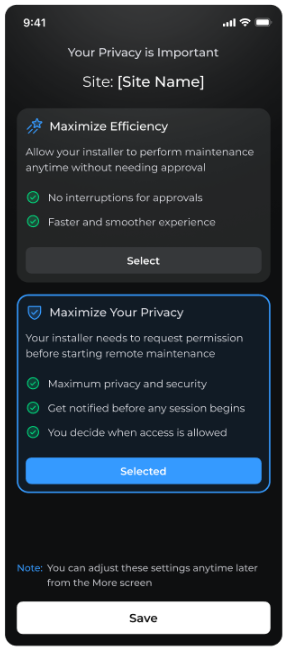
When entering the site for the first time, the Grand Master uses the app to select between Maximize Efficiency mode and Maximize Your Privacy mode (Maintenance-by-request).
- If Maximize Efficiency mode is selected, installer access to the site is unlimited but without Cameras Configuration Remote Access.
- If Maximize Your Privacy is selected, the Installer can access the site only by sending a request to the Grand Master which the Grand Master must approve.
Installer Maintenance Settings
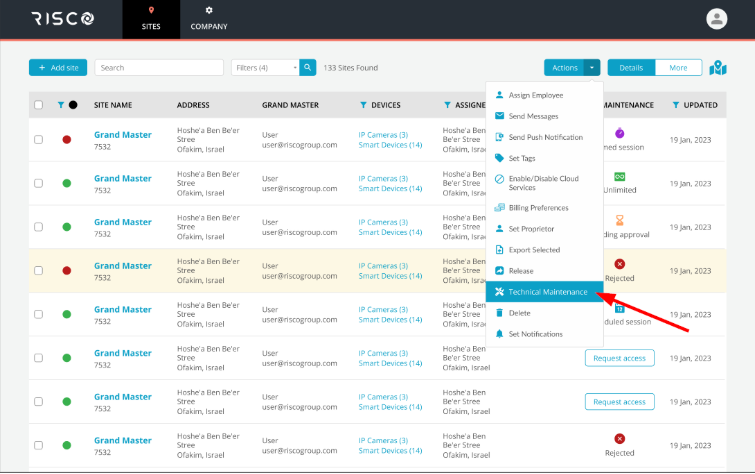
The Installer can request technical maintenance access from the Grand Master (or any of the site end users who were approved by the Grand Master to respond to maintenance requests).
The Installer can send a Maintenance Request to up to 25 sites in a single batch command.

The installer can also request a technical maintenance session via the HandyApp (from version 3.13).

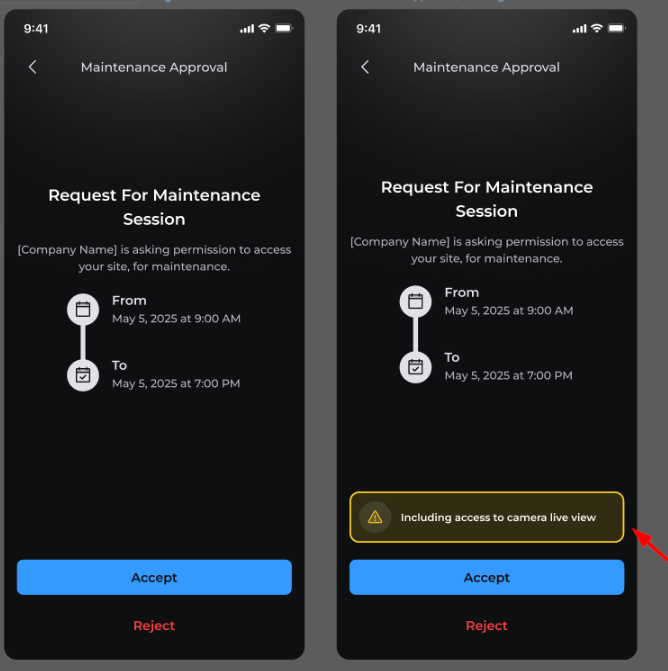
Installers can request camera remote configuration and Cameras Configuration Remote Access as part of the maintenance session. For sites under unlimited maintenance, Cameras Configuration Remote Access is requested separately from within the site.


The installer can also request Cameras Configuration Remote Access via the HandyApp.

The Maintenance column in the Sites list shows the current technical maintenance session state for each site. Icons and labels indicate if a maintenance session is active, pending approval, scheduled for a future time, unlimited, or rejected.

Visual indications show whether a site is under technical maintenance with or without camera Cameras Configuration Remote Access.
Status indications are described in the following table:
| Icon | Status | Description |
| ⏰ | Timed session | Approved maintenance access for a limited time |
| ⏳ | Pending approval | Request sent to the Grand Master, awaiting a response |
| 📅 | Scheduled session | Maintenance request scheduled for a future time |
| Unlimited | Installer has unrestricted maintenance access | |
| Rejected | Maintenance request was rejected | |
| Request Access | Installer must request approval before starting maintenance |

Maintenance Notifications
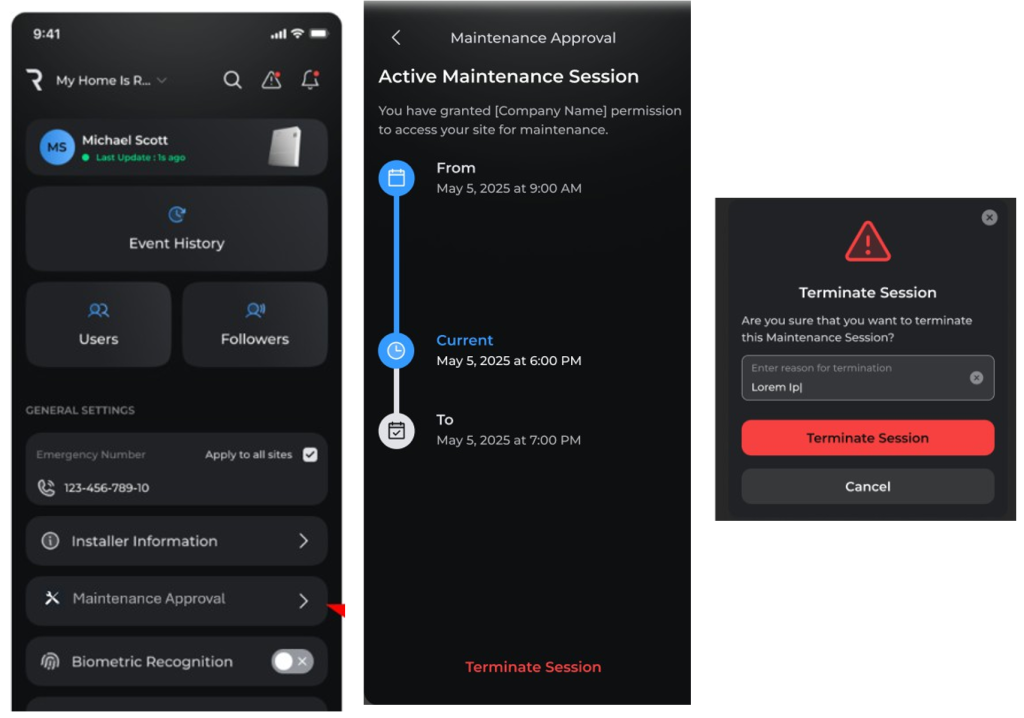
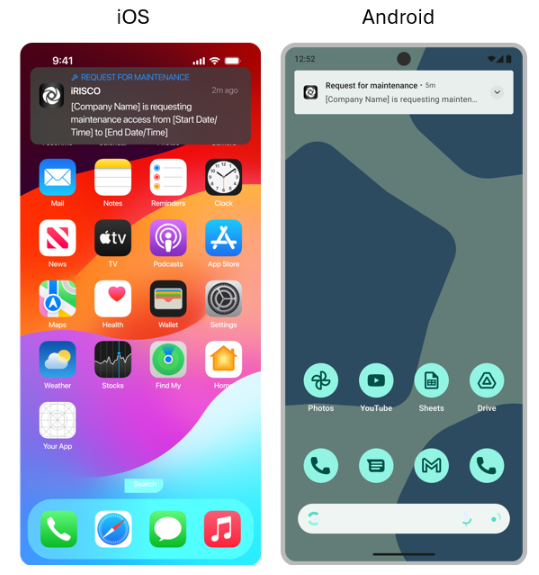
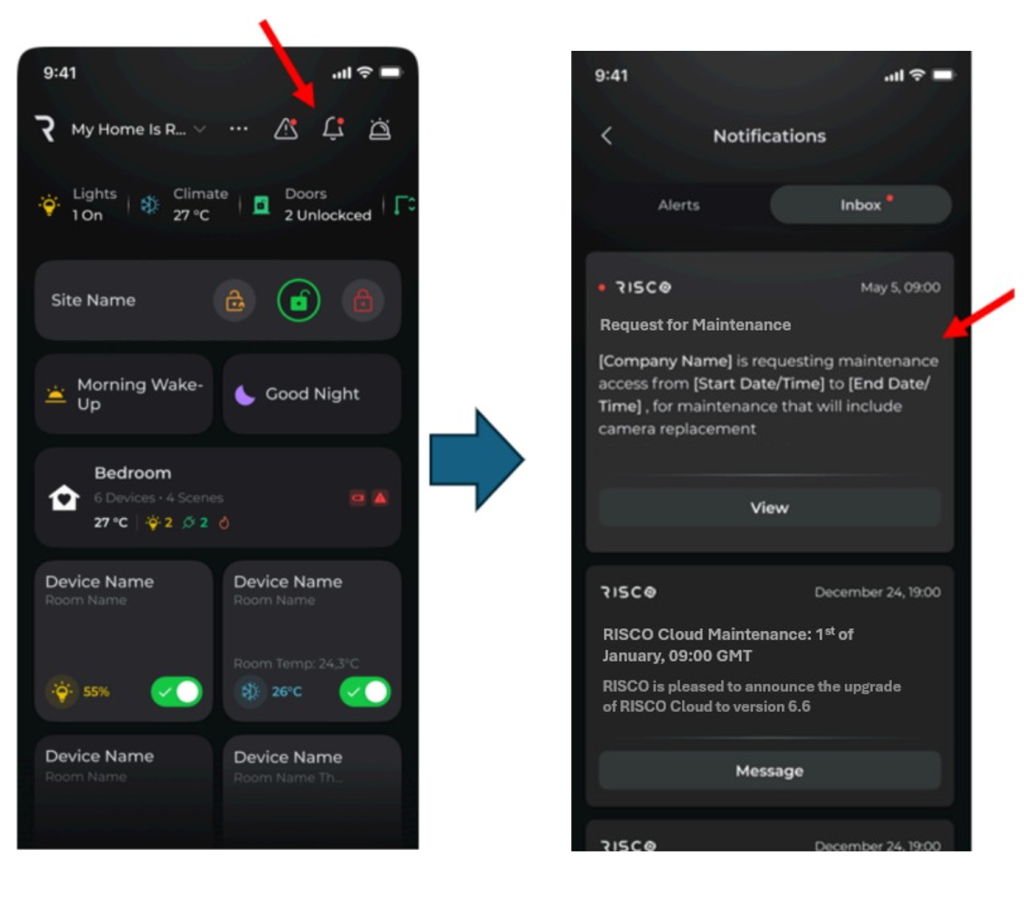
The iRISCO app informs end users about Maintenance-related events through on-screen notifications and allows them to act by viewing, accepting or rejecting maintenance requests.
Automatic Cameras and NVR Cameras Configuration Remote Access for Sites without a Verified Grand Master
RISCO Cloud automatically grants installers a 4-hour camera or NVR Cameras Configuration Remote Access session when adding a Cameras Configuration Remote Access–capable device to a site without a verified Grand Master. Access is terminated automatically once a Grand Master is verified, and all permissions are then enforced by the cloud.
Terminating a Maintenance Session
Using the iRISCO app, the end user can terminate an active technical maintenance session.