HandyApp Version 3.12
Release Note – Signal Level Test
RISCO is introducing a new Signal Level Test feature inside the HandyApp Configurator, designed to help installers quickly verify and improve the wireless communication quality between the Control Panel and all related wireless devices on site.
What’s New?
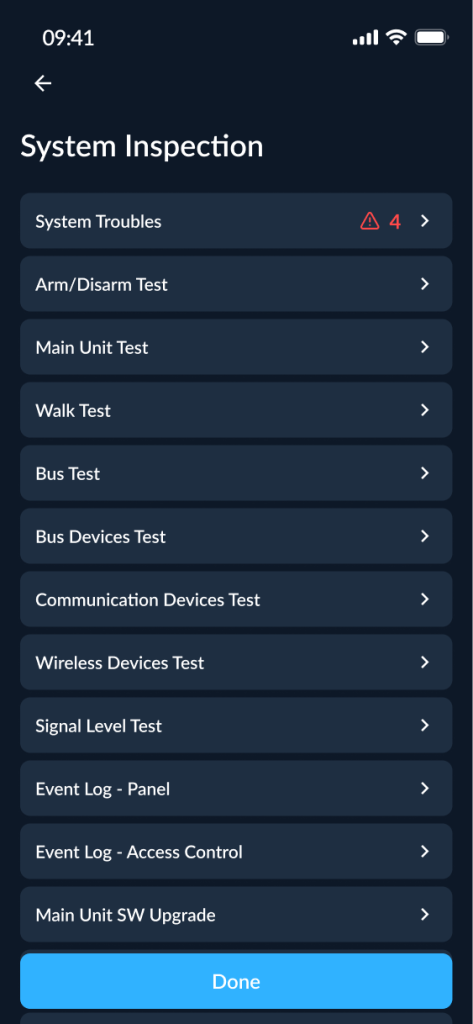
The new tool is now available under the System Inspection menu:
Configurator → Security Panel Configuration → System Inspection → Signal Level Test
With this feature, installers can:
- View the latest signal test results for all wireless devices connected to the panel
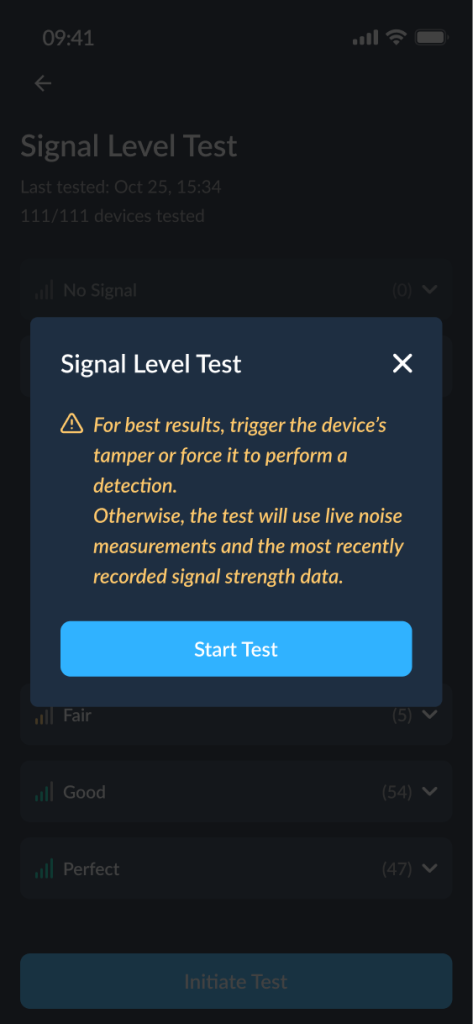
- Run a new Signal Level Test for all devices (one action)
- Run a Signal Level Test for a single device, directly from the device list
Clear Signal Quality Grouping
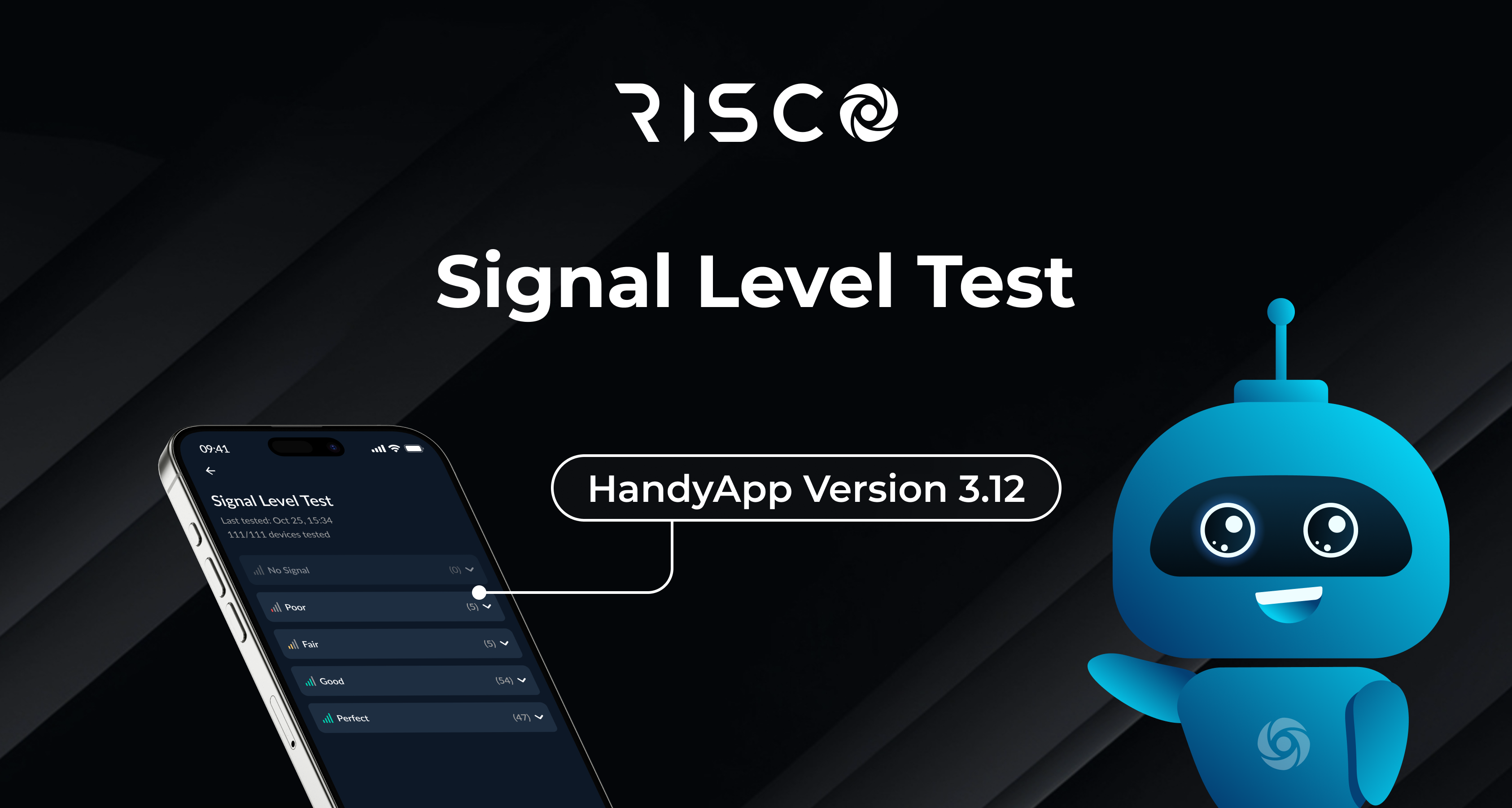
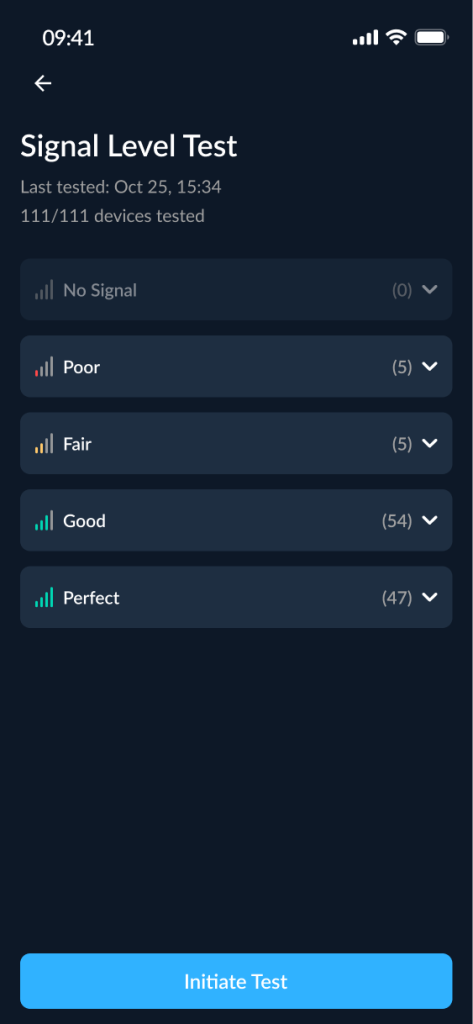
To make troubleshooting faster, devices are automatically grouped into 5 signal levels:
No Signal → Poor → Fair → Good → Perfect
Each group shows the number of devices inside it, and empty groups appear disabled (e.g., “(0)”).
For every device, the installer can see:
- Zone number and/or device type
- The date & time of the last recorded test result
Run Tests Easily (All Devices or One Device)
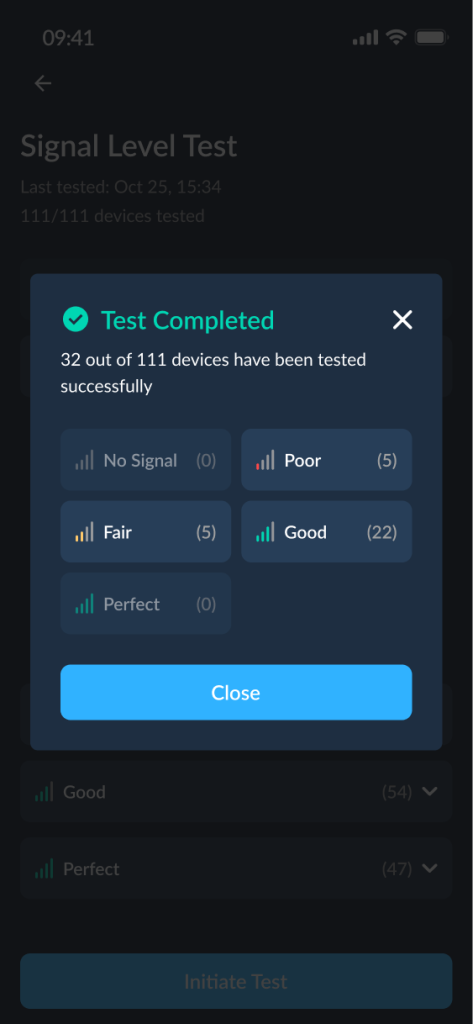
Initiate Test (All Devices):
- Tap Initiate Test to start a new test for all relevant devices
- During the test, results update dynamically on screen as devices report back
Single Device Test:
- Tap a device from the list to test it individually
- After completion, you can Test Again or close and return to the results list
Stop Anytime (Results Still Saved)
Installers can stop an ongoing test at any time using Stop Test.
- A warning message is shown before stopping
- Results collected so far are saved as the latest results
- Devices that didn’t complete the test will keep their previously stored result
Why This Matters (Installer Value)
The new Signal Level Test helps installers:
- Confirm wireless performance during installation
- Identify weak devices instantly (No Signal / Poor) without guessing
- Reduce service calls by catching communication issues early
- Optimize device placement for better system reliability
- Document the latest signal status per device using stored test results